Part 5: Cluster without WiFi
So far my cluster was involving WiFi and my new Pi 4. But when I first imagined this project, it was about simplicity — and just the three Zero Pis. So now, we’re getting real 😉
Before getting started, I need to take everything down, which is pretty simple: flashing a new OS on the SD cards will erase everything on the card. So, being lacy, I’ll just flash the 64-bit lite OS on them again 😇
With only the Zeros in the mix, I’m now working with one cp, as well as worker1 and worker2. All of them now have WiFi disabled. 😅
Generally speaking, here’s what I want to achieve:
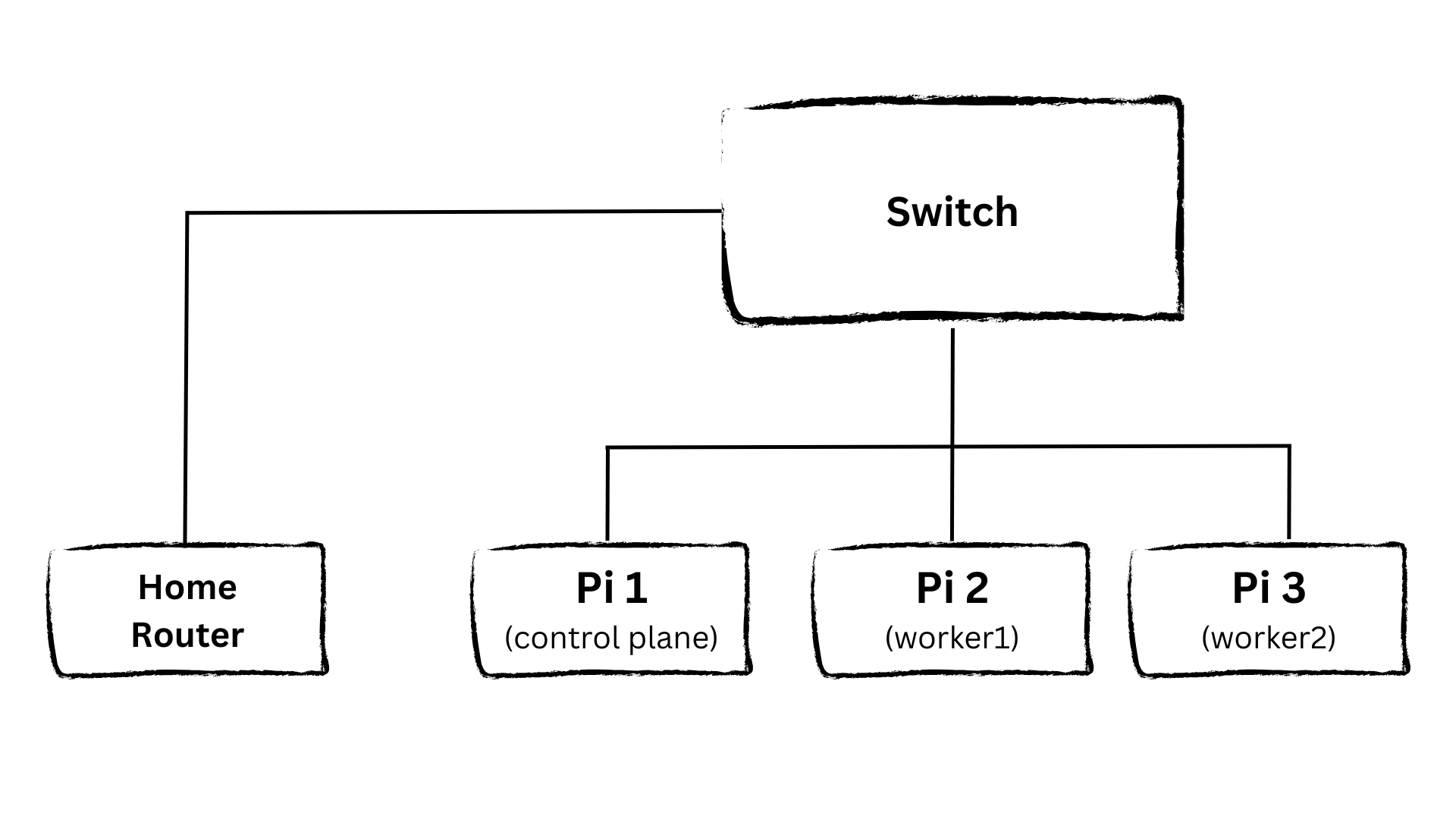
All Pis are connected via Ethernet to a local switch, which in turn connects to my home network. And then we can get k3s on it. This involved the following steps:
🛠️ Prepare the Pis (disable swap, run system updates, get switch & cables together)
🌐 Set up static IPs (I could have used DHCP, but this is more control & learning effect for me)
🚀 Install k3s on the control plane
🤝 Join the worker nodes
⛔ Taint the control plane (to avoid scheduling workloads on it)
📝 Deploy the blog again (because what’s a cluster without content?)
Let’s get started 💪
Prepare the Pis
After flashing the OS, it’s time for switch and Ethernet cables. Each Pi now has its own connection to the switch. And this looks wild (I didn’t get the cables I wanted, so … improvise):
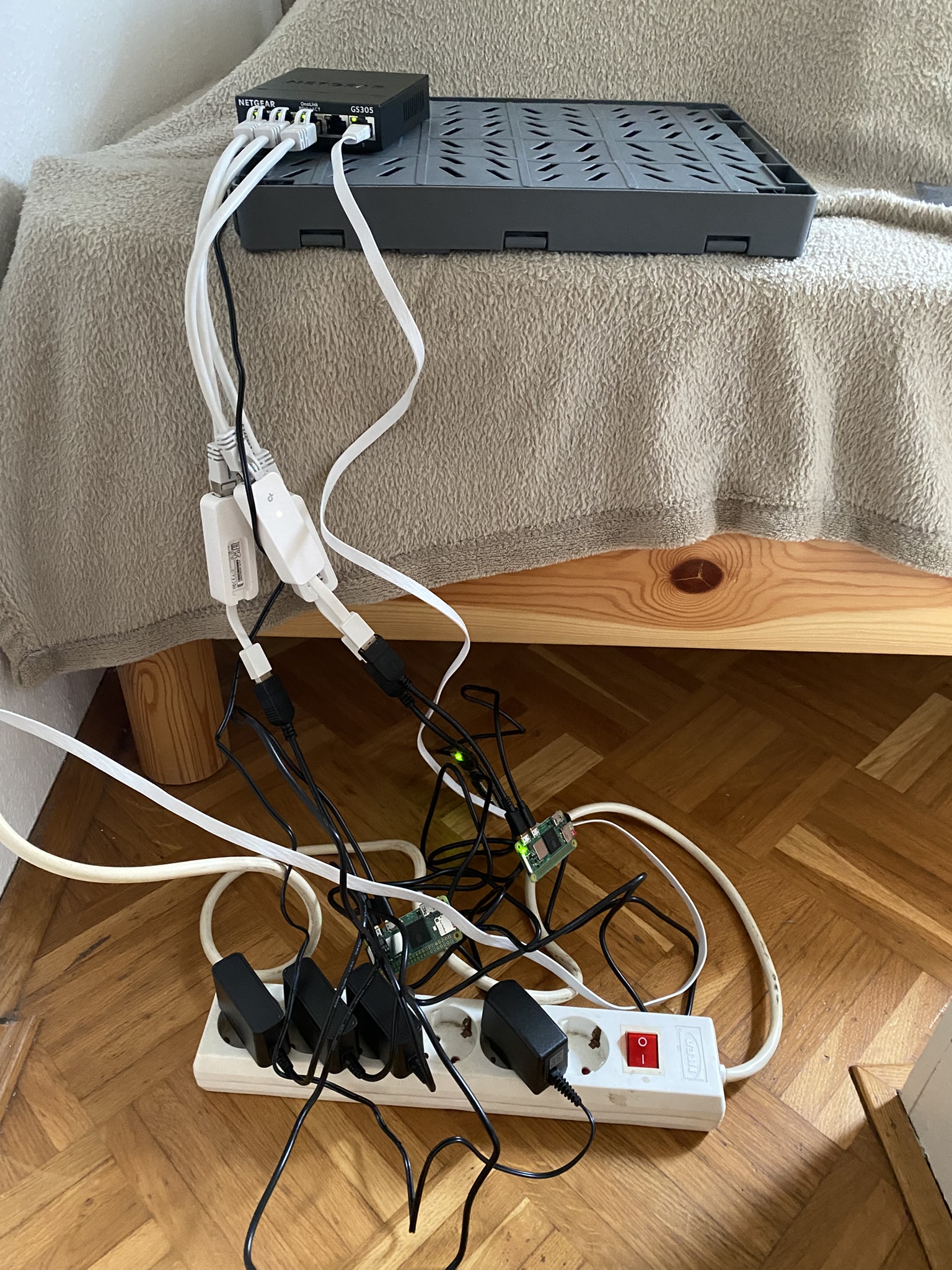
Definitively needs improvement for showcasing it next week on stage. But hey, form follows function, right? 😇
Next steps:
- Update all packages
- Disable swap
But this time, just SSHing into the Pis didn’t work. Obvious reason: my laptop is still on Wifi. 🤪
After switching it to Ethernet: Still no luck.
Trying ping cp.local gave me this beauty:
ping: cannot resolve cp.local: Unknown host
Yay, as expected, networking is tricky.
Thing is (reading the docs): The idea is that the Pi advertises itself as “cp.local” over mDNS (Bonjour/Avahi). Getting the error above suggests: mDNS isn’t working. Or maybe something else?
Could I ping the Pi’s IP directly? Sure — if I knew it. I knew my Mac’s IP and the general subnet, but the exact IP of the Pi? No idea. Dilemma.
I installed nmap to scan my local network. Result: 7 devices. None of them Pis. 😩
Desperate Debugging
Having no real clue what the problem was, debugging started, including (potentially not in that order):
- Reading a lot about mDNS, DHCP, static IPs, networking in general, … 🤯
- Double checking the wiring - found an issue, fixed it… still no success
- Playing around with startup order: switch first, then Pis — maybe DHCP was flaky?
- Trying a direct Ethernet connection from Pi to laptop with its own subnet
- Adding config tweaks to the SD card boot partition
And yes, I could have just plugged in a screen and keyboard to see what’s going on directly. Buuut - I didn’t have the right cable 🙈
At this point, I was very close to giving up. Or eating a cable. Or both.
Instead, I made a more reasonable choice: Order the missing cable and try a hybrid setup while I wait for it to arrive.
New plan:
- Control Plane Pi gets Wifi access
- Worker Pis get internal LAN connection
So, stay tuned for part 6 :)